Sustainability · M.Des project
Giving old computers and PC parts a second life, starting with a photo.
- Type
- M.Des project, Symbiosis Institute of Design
- Year
- 2026
- Platform
- Mobile app
- Methods
- Survey, personas, concept testing, heuristic evaluation
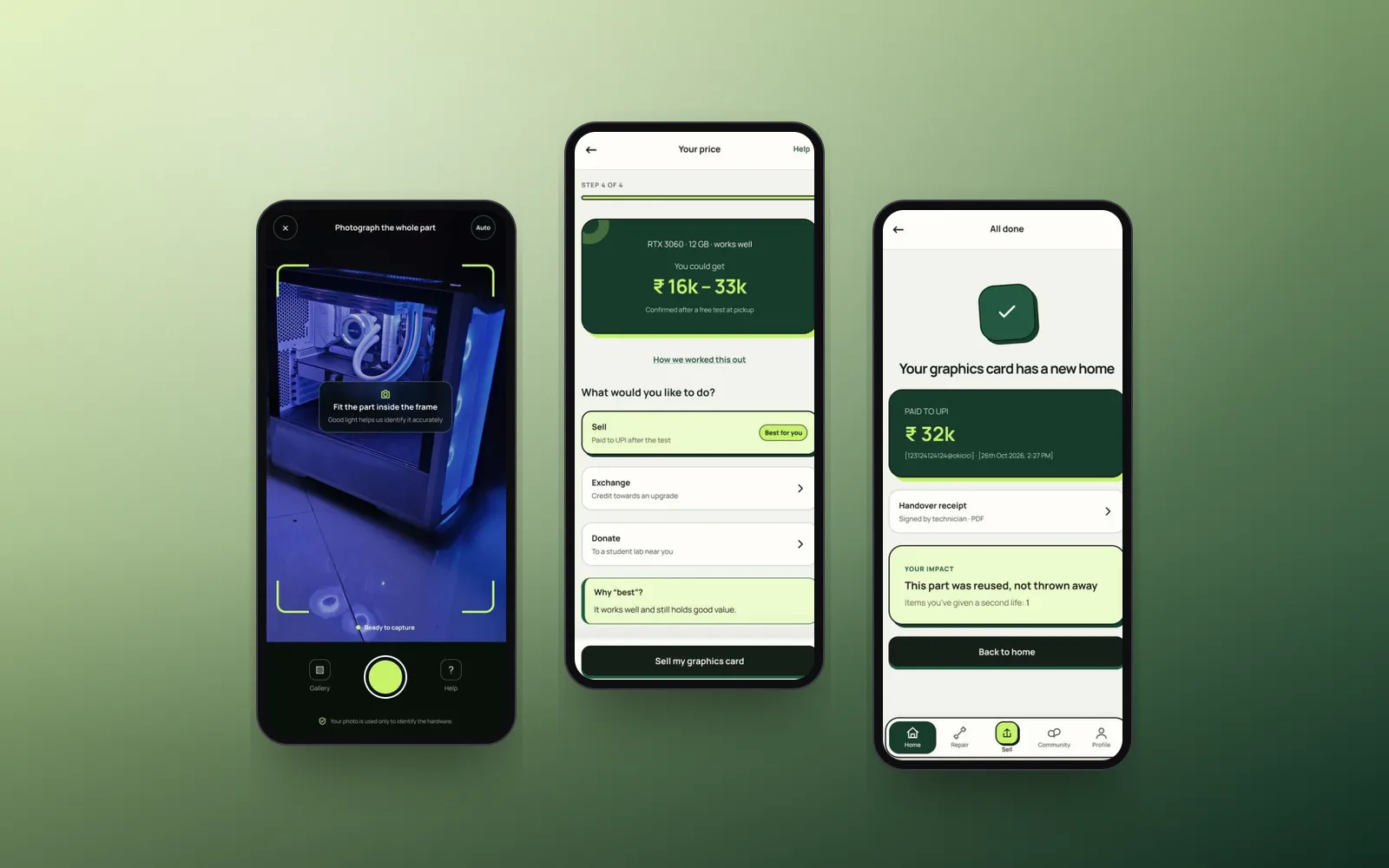
At a glance
Problem
Old laptops and PC parts sit in drawers because selling, repairing or recycling them feels risky and like too much effort.
Solution
Snap a photo or pick your device, see a fair price range, then choose to repair, sell, donate or recycle, with doorstep pickup and proof your data is wiped.
My role
Solo project: research, personas, concepts, information architecture, design system, hi-fi prototype and evaluation.
Outcome
A clickable Figma prototype. An expert review found 15 issues, and I fixed the most severe ones.
Problem
Most old devices end up in a drawer
Working or repairable laptops, desktops and parts sit unused at home or slip into informal disposal. People don't know what they're worth, every service covers only one route, and they worry about their personal data.
62 Mt
of e-waste generated worldwide in 2022
22.3%
of it formally collected and recycled
6 of 12
people I surveyed kept their last unused device at home
Insights
What the research showed
Doing nothing is easiest
“It was the easiest option” was the top reason for keeping an old device. The service has to beat the drawer.
Confident users still want help
8 of 12 rated themselves confident with specs, yet photos plus simple questions was the top pick for identifying a device.
Trust has to be designed in
Half feared their data could be recovered, and 10 of 12 worried about hidden defects in refurbished hardware.
Key decisions
How the design answers it
- 01
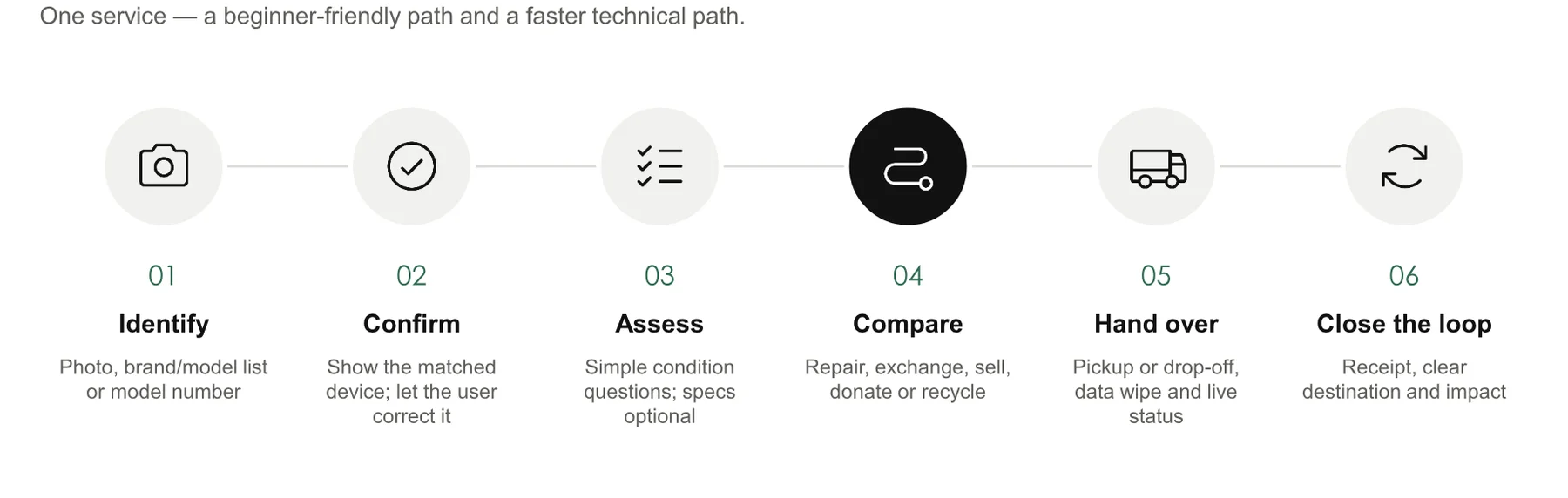
Snap it, or pick it, on one screen
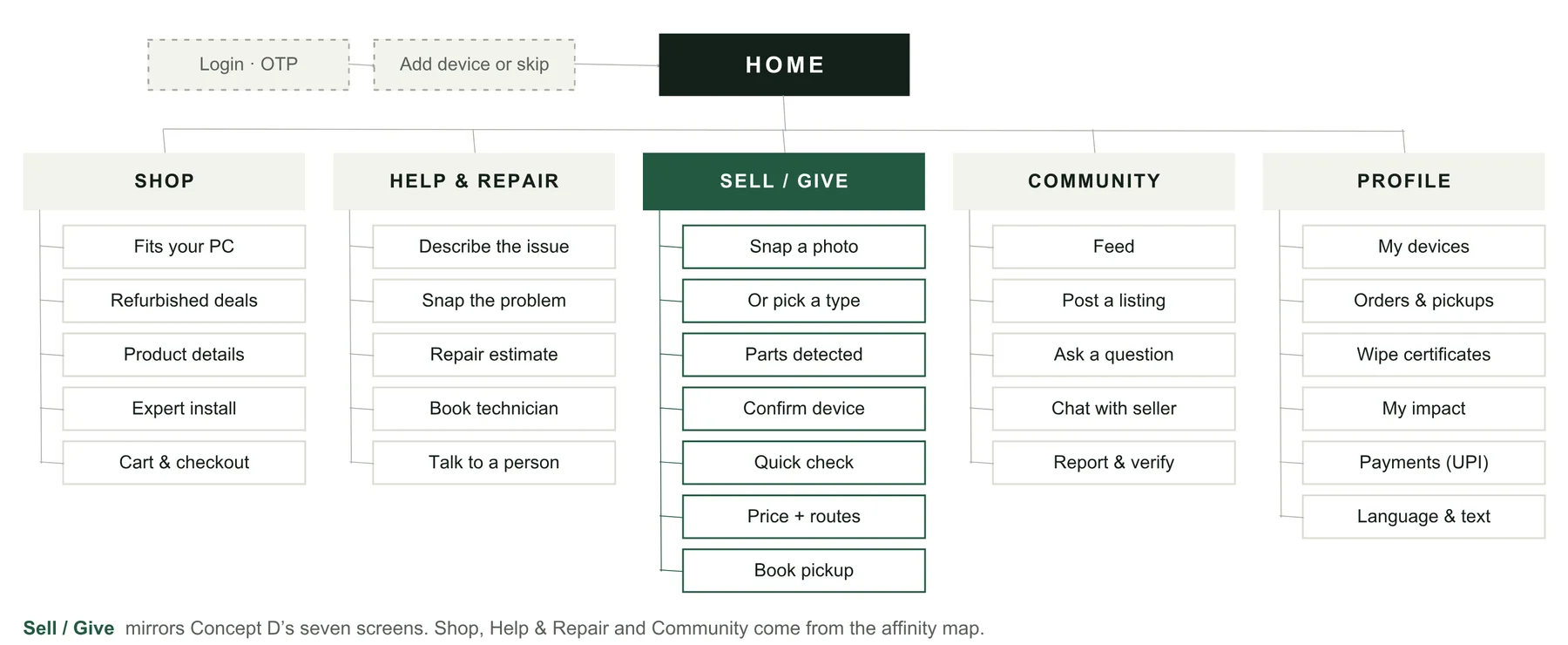
I sketched four concepts. The chosen one lets you photograph your device or pick it from tiles, and it spots single parts inside a PC, so a gamer can sell just their old graphics card.
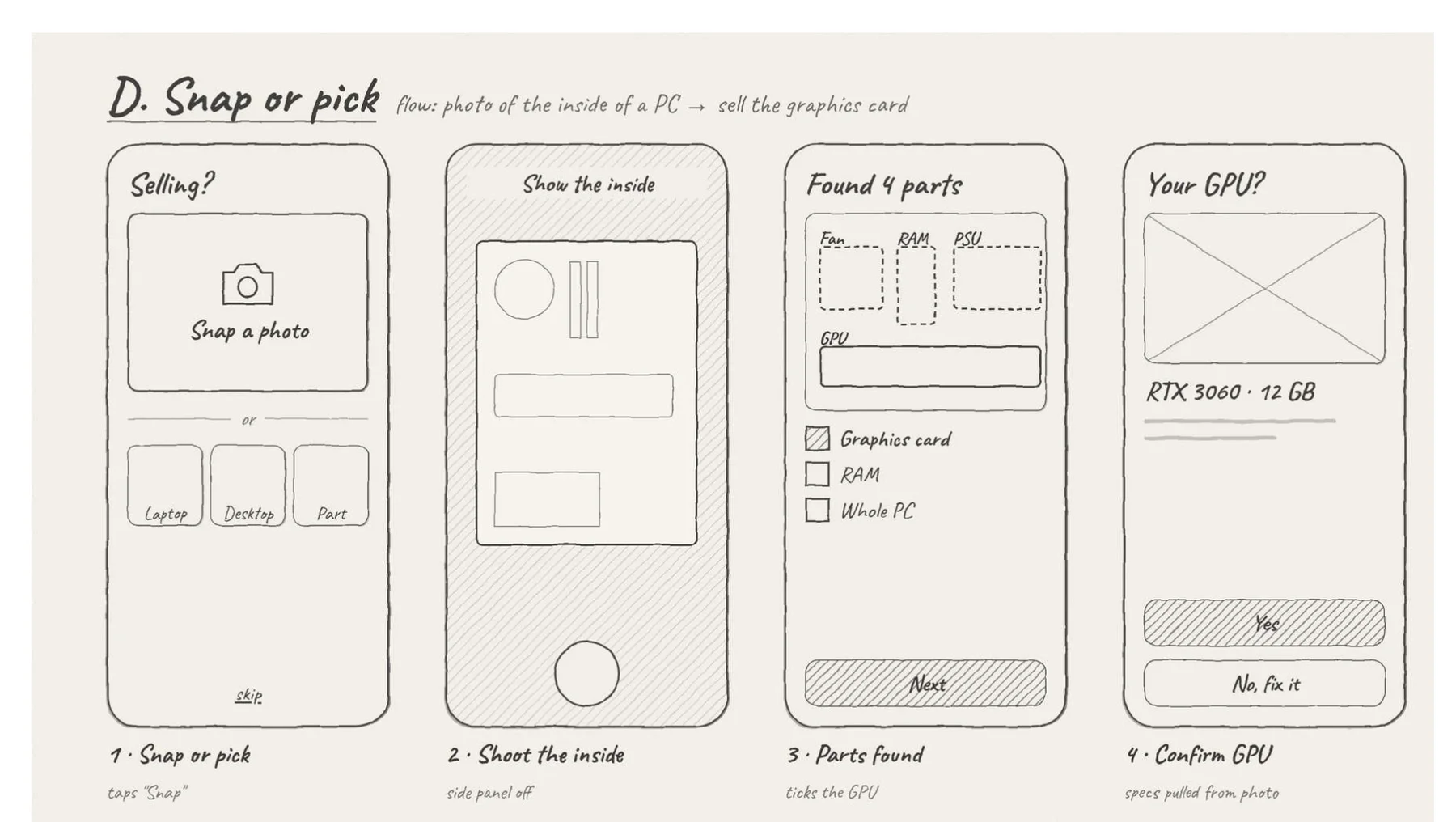
The chosen concept, sketched before going digital. - 02
Never force the technical answer
The app detects the part and fills in the specs from the photo. Every condition question has a “Not sure” that never blocks you, and the price shows how it was worked out.
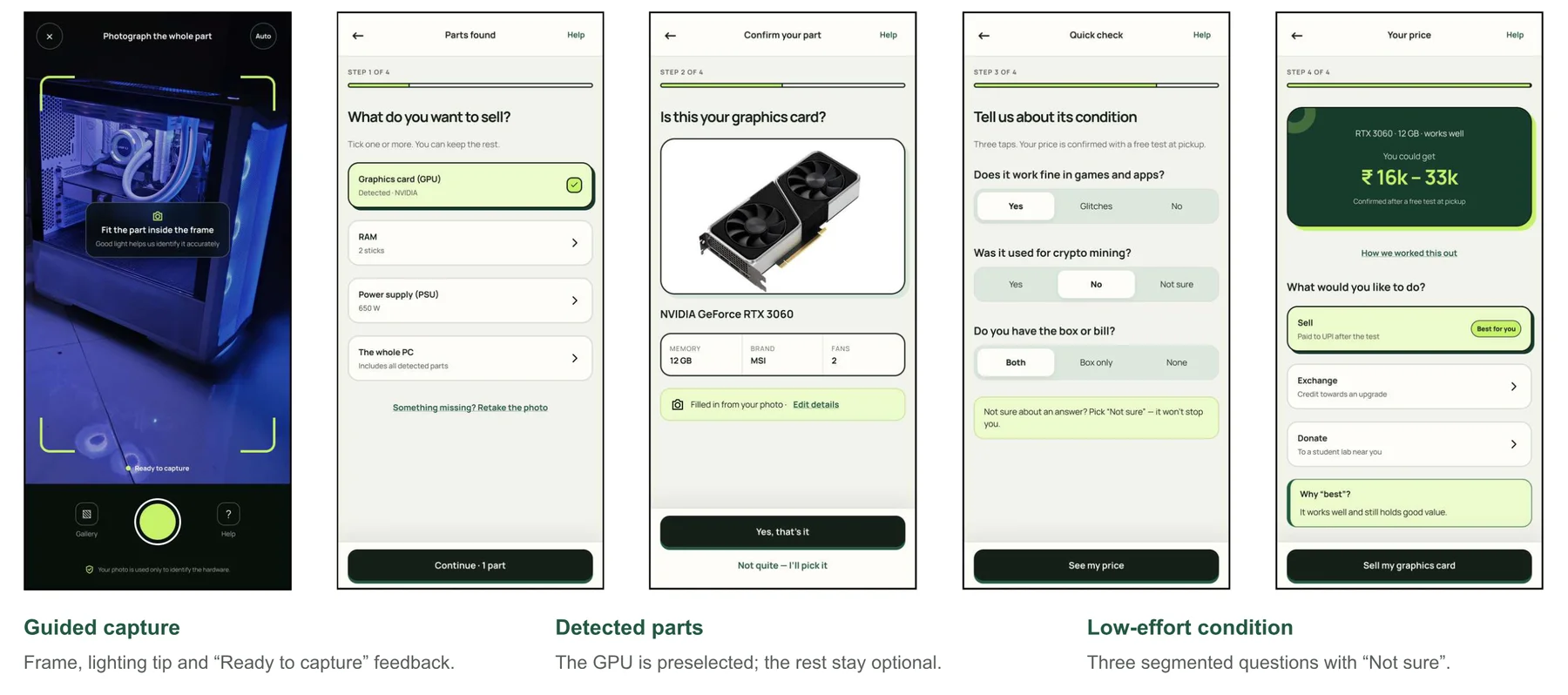
Snap to sell a graphics card: capture, detect, confirm, check and price. - 03
A safe default for handover
A technician removes and tests the part at pickup, so nobody has to open their PC. A live timeline, UPI payment, receipt and impact summary close the loop.
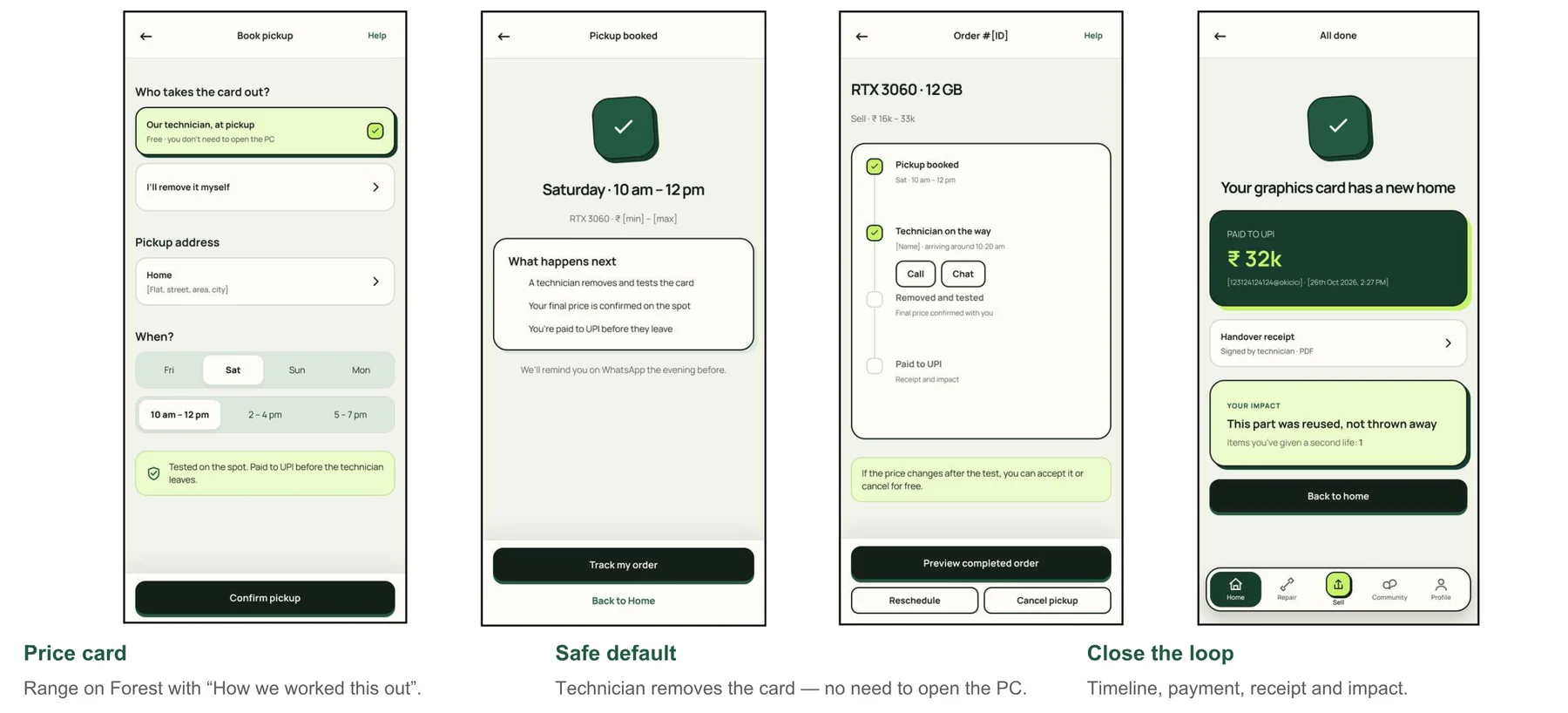
Pickup, tracking and a clear ending. - 04
Repair comes before recycling
In line with UN goal SDG 12.5, every flow puts repair and reuse first. You can book a technician at home, with a real person always one tap away.
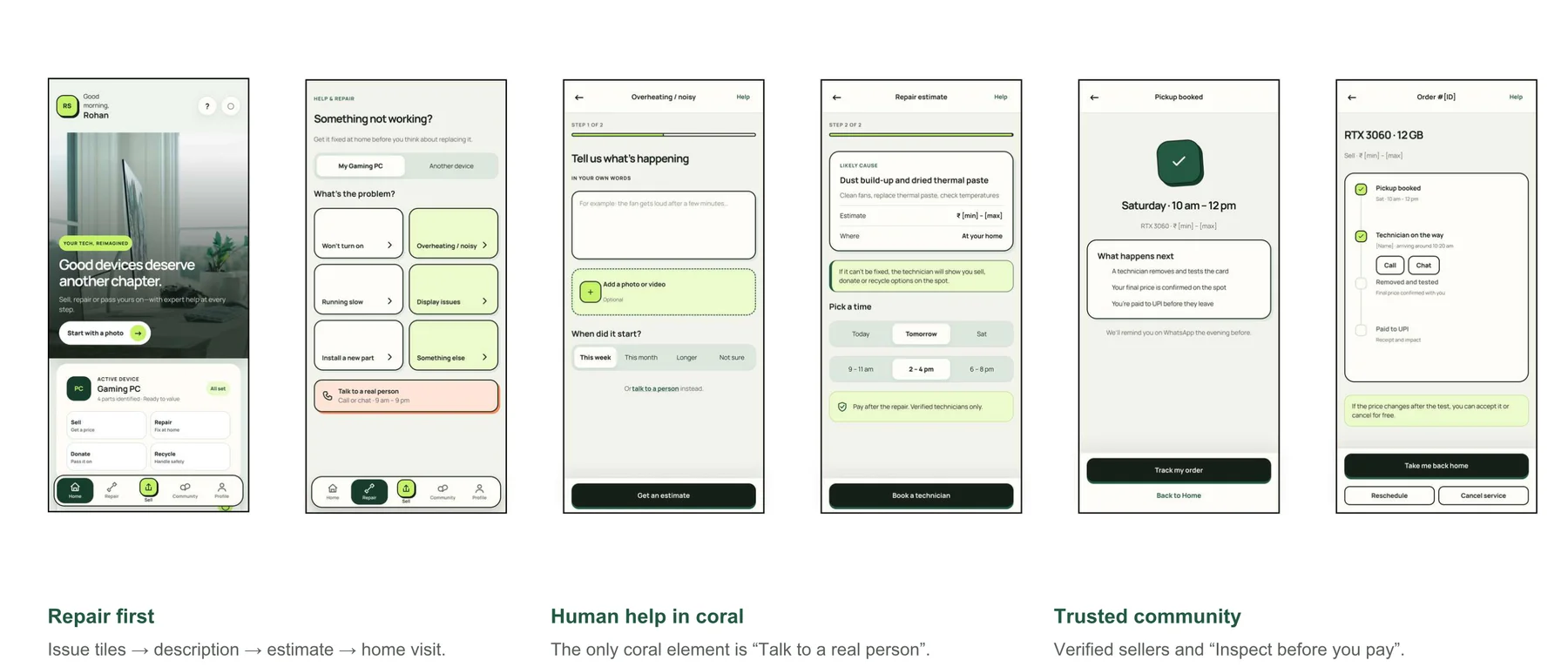
Booking a repair at home.
Final design
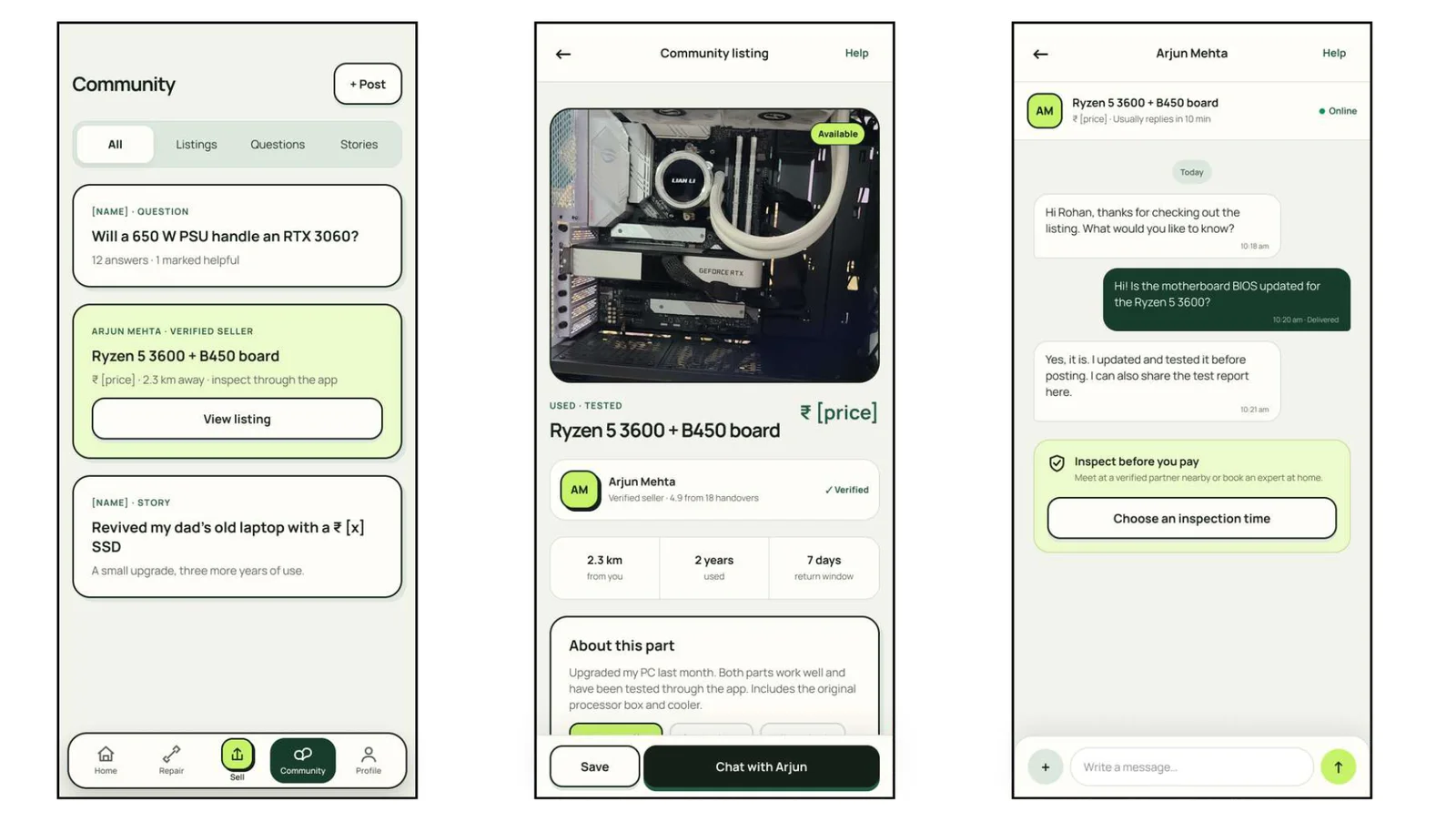
The screens
Outcome
How I evaluated it
- Expert review with Nielsen's heuristics, a cognitive walkthrough across five user profiles, and a WCAG 2.2 contrast check.
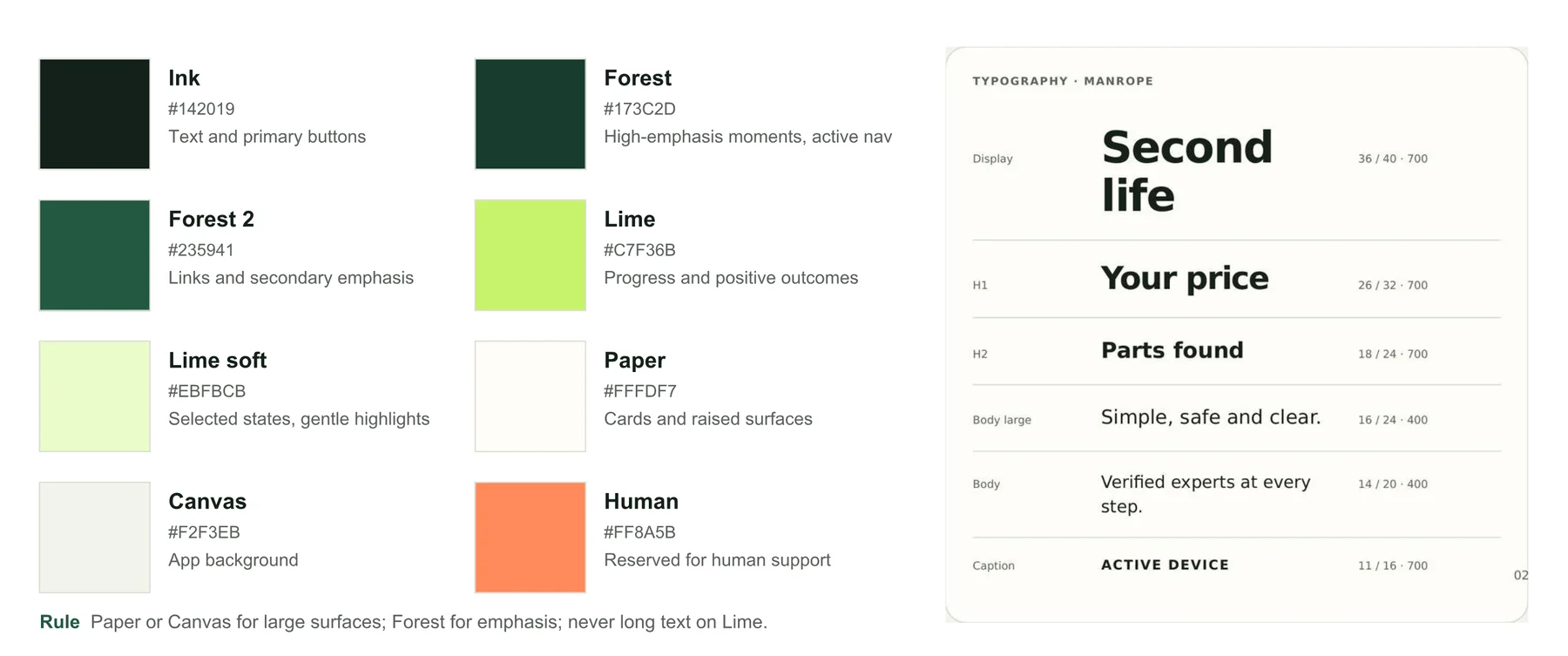
- It found 15 issues. I fixed the most severe: recovery states for unrecognised photos and wrong OTPs, a narrower and explained price, accessible selected states, and a confirmation before cancelling.
- My walkthrough scoring gave a System Usability Scale (SUS) score of 79.5, above the 68 benchmark. These are my own predictions, so next is a task-based test with real users.